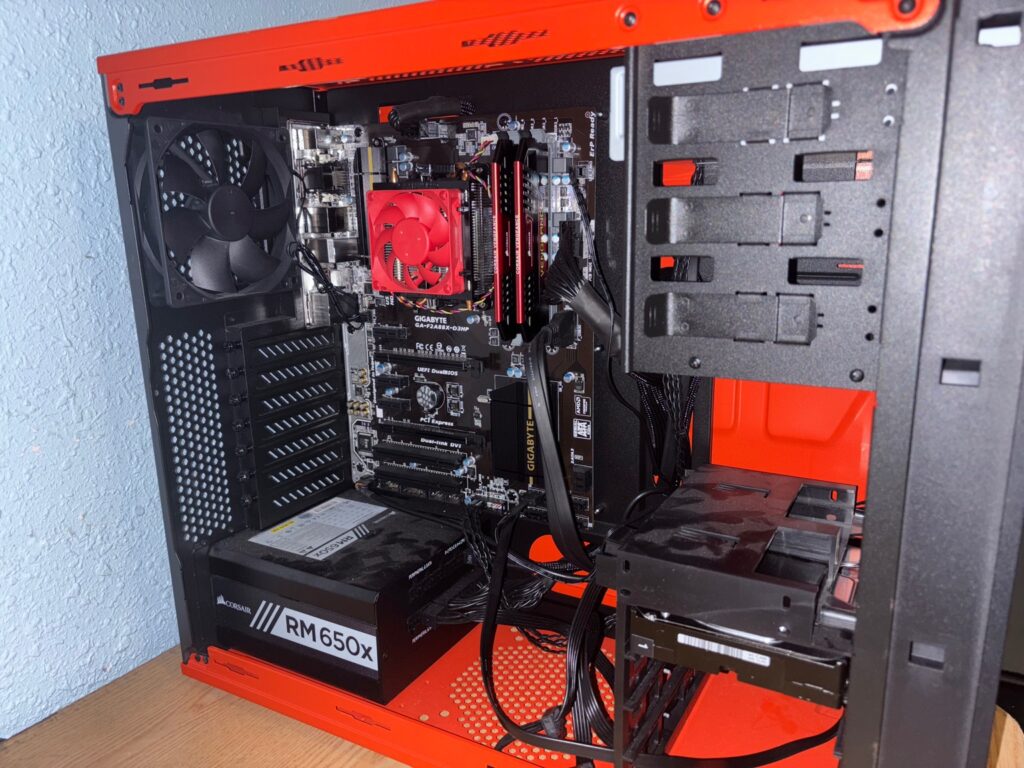
The Frankenserver Lives (Almost)

I finally decided to start working on my home server using the old PC I had picked up earlier. Along the way, I also got my hands on a 2TB hard drive, ordered a SATA data cable, and a power supply cable — since the PC was missing those parts.
Before plugging anything in, I opened up the case and gave everything a visual inspection. At first glance, there were no obvious issues: all cables were snug, no burnt capacitors, no visible motherboard damage, and the cable management wasn’t bad. To be safe, I ran a quick check on the power supply using a tester I had bought myself last Christmas (yes, I basically bought my own gift). The tester showed no errors — good to go.
Then came the big moment: time to boot it up.
I plugged everything in and pressed the power button… nothing. Ah — I forgot to flip the power supply switch. After switching it to ON, I pressed the power button again and IT’S ALIVE! The system powered on with no issues — except, it didn’t boot. Turns out, there was no operating system on the SSD.
Time to pick an OS — the exciting part. It was between Linux Mint and Ubuntu, but I went with Ubuntu, since I hadn’t used it before. I flashed the installer onto a USB drive using my laptop, plugged it into the old PC, and booted from it. Success. I installed Ubuntu onto the SSD and began trying to configure it as a headless system.
That’s when I hit my next hurdle — I needed an Ethernet connection for the old PC. The way my room is set up, I couldn’t just unplug my only Ethernet cable from my main PC. I needed a network switch to support multiple connections.
While I could just order a Wi-Fi adapter, I’d rather use Ethernet. I already have extra Cat6 cables lying around, plus a full networking toolkit ready to go. I do own a 48-port Cisco switch, but that feels like complete overkill for my setup — and I don’t even have the space for it. So I’m planning to pick up a smaller switch soon. Until then, the home server PC is on standby.
In the meantime, I might repurpose the Raspberry Pi as a temporary cloud, file, or media server — so stay tuned for that.